
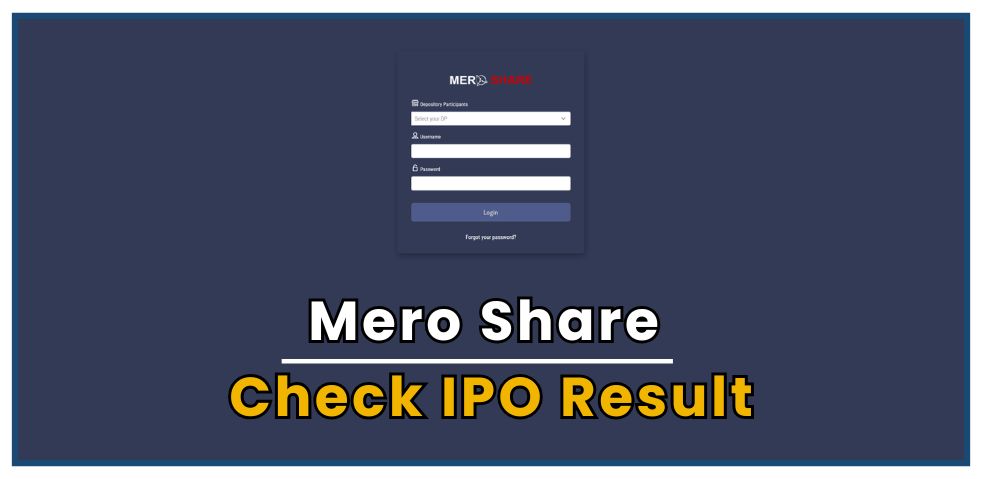
IPO results in Nepal can be checked through two official platforms:
Mero Share Platform
Mero Share is an online portal designed for investors in Nepal to manage their Demat accounts. It offers a range of features, including IPO applications, portfolio management, transaction history, and digital access.
In the past, investors had to visit individual websites of issue managers and manually check application numbers for each IPO. However, with the introduction of Mero Share, this process has become much more convenient. Now, investors can view all IPO results in one place through a unified system.
In this blog, you’ll learn the step-by-step process to check IPO results in Mero Share easily and efficiently. The platform is accessible via both its mobile app and web version.
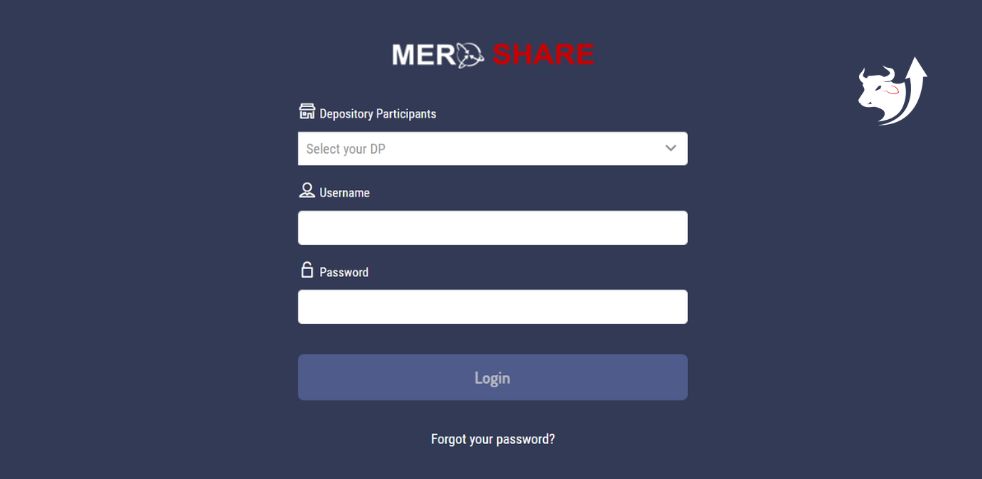
Step 1: Visit the Official Mero Share Website
To get started, open the official Mero Share site by clicking this link: https://meroshare.cdsc.com.np.
You will see a screen similar to the one shown below.
(मेरो शेयरको आधिकारिक साइटमा जानुहोस्। तपाईंले तल देखिएको जस्तै स्क्रिन देख्नुहुनेछ।)
Step 2: Select Your Depository Participant
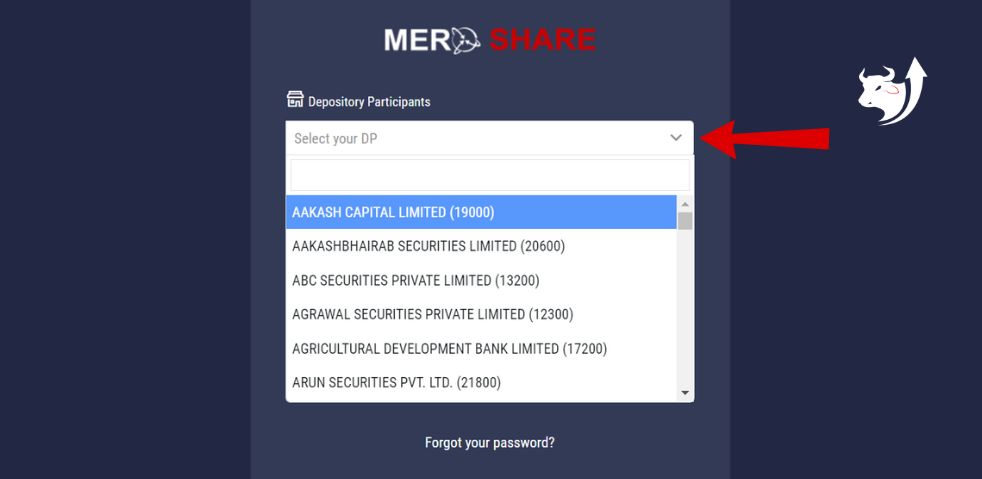
From the drop-down menu under “Select Your DP (Depository Participant)”, choose your DP — for example: Aakash Capital Limited.
(तपाईंले चाहनु भएको शेयर जाँच्नको लागि Depository Participants मेनुबाट आफ्नो सेवा प्रदायक छनोट गर्नुहोस्।)
Step 3: Enter Your Login Credentials
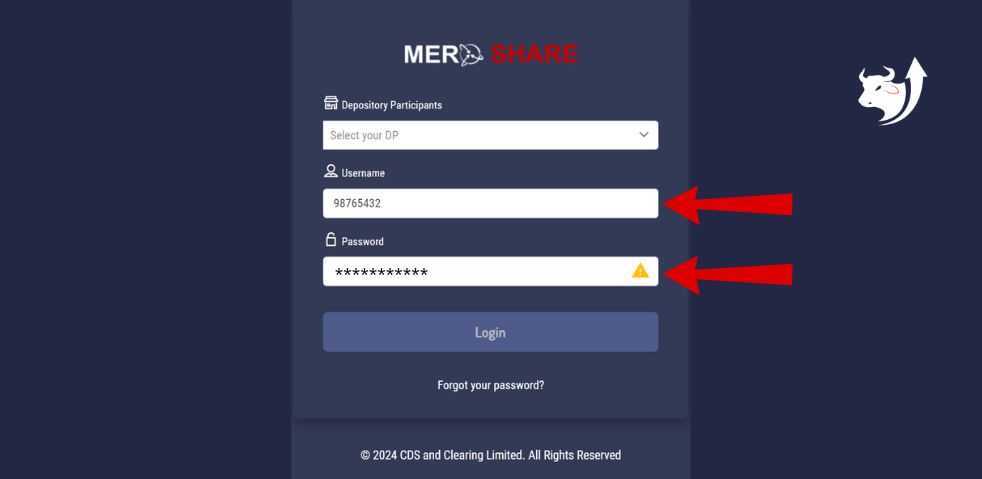
Type in your username and password, then click on the “Login” button.
(“Username” र “Password” लेख्नुहोस्, त्यसपछि “Login” क्लिक गर्नुहोस्।)
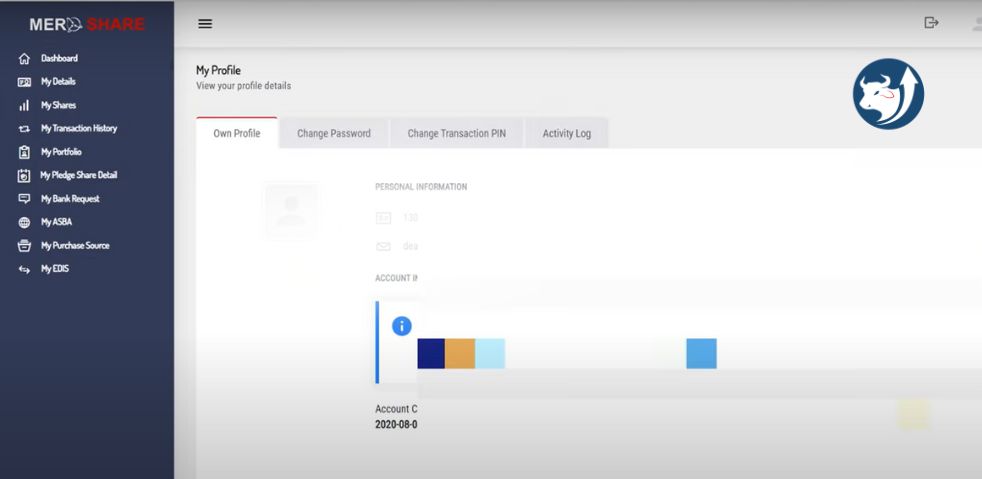
Step 4: Access the Dashboard
After logging in, you will be taken to your dashboard. It will resemble the screen shown below.
(Login गरेपछि, तपाईंले तल देखाइएको जस्तै ड्यासबोर्ड स्क्रिन देख्नुहुनेछ।)
Step 5: Click on “My ASBA”
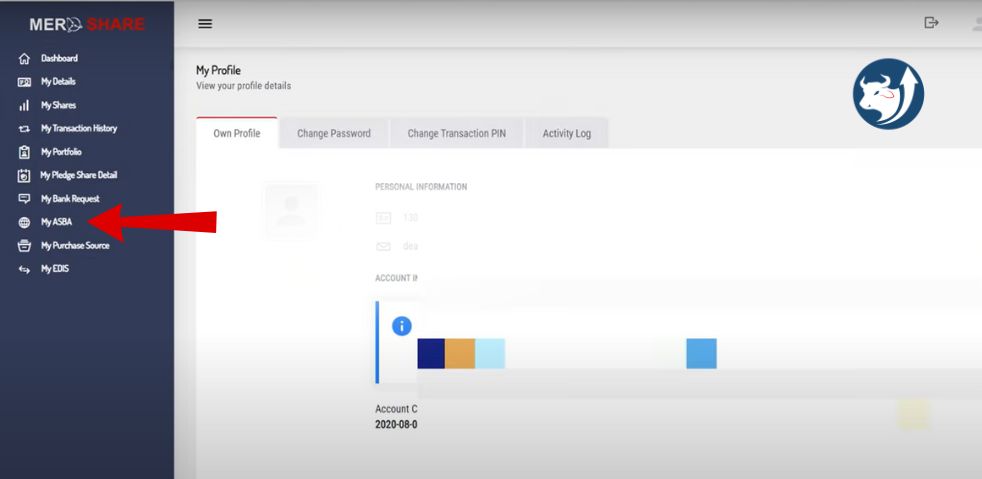
From the menu on the left side of the dashboard, click on “My ASBA”.
(बायाँ छेउमा रहेको मेनुबाट “My ASBA” मा क्लिक गर्नुहोस्।)
Step 6: Open Your Application Report
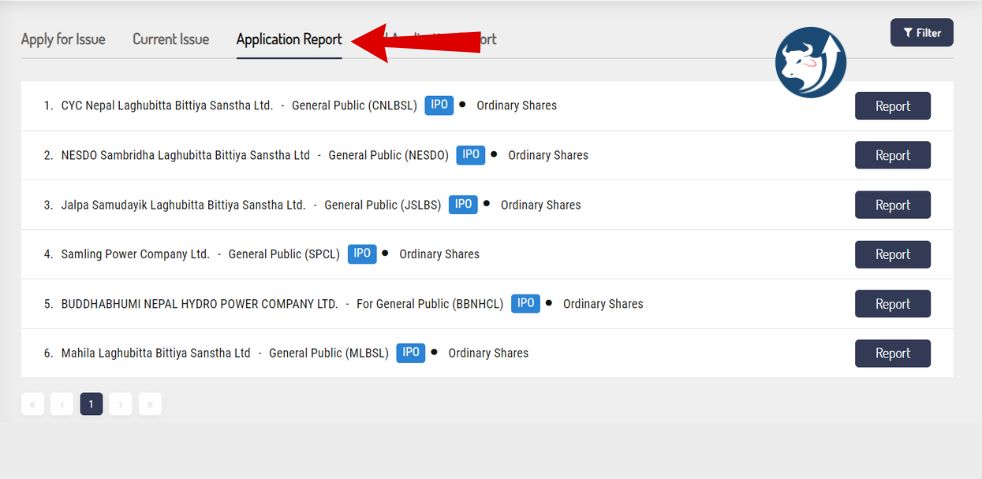
Next, click on “Application Report” to view the details of your IPO applications.
(त्यसपछि, “Application Report” मा क्लिक गर्नुहोस्।)
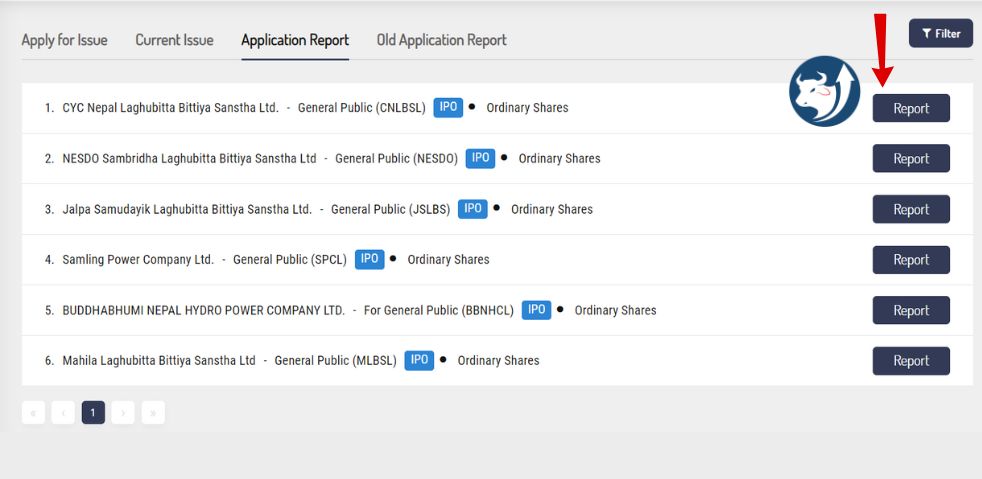
After clicking on “Report”, you will see the full details of the IPO issue. Under the Status section, you can find whether shares have been allotted to you or not. This section clearly shows your IPO result.